About ScreenDub
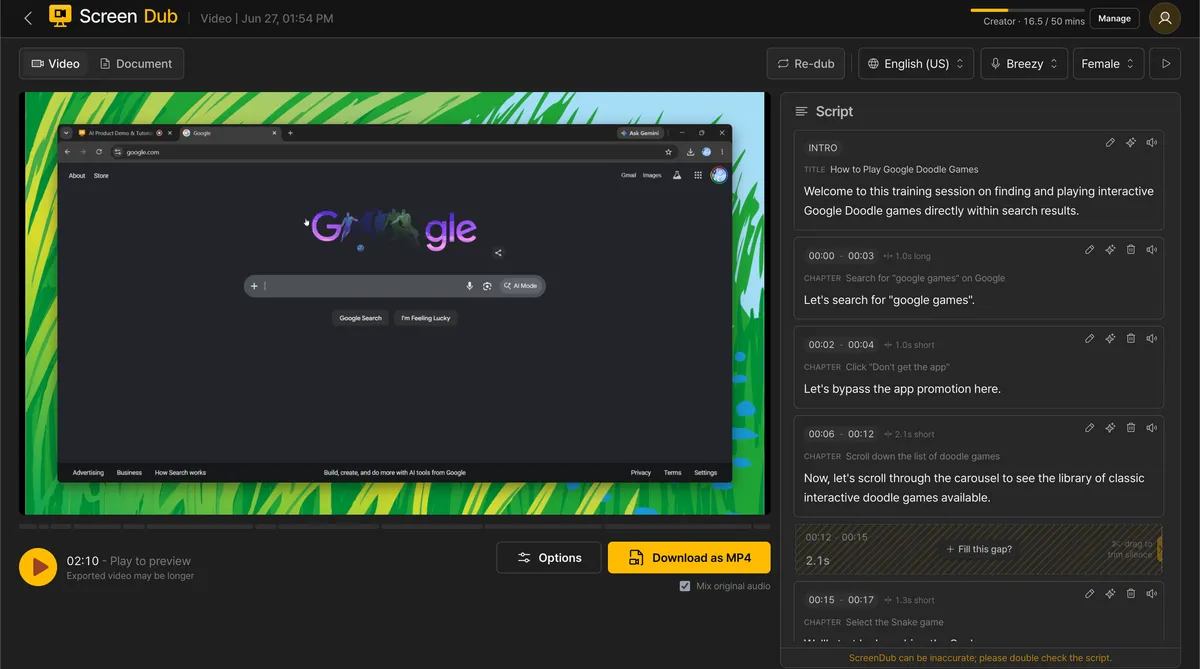
Record your screen and ScreenDub writes the script, narrates, and exports a product demo or tutorial video in 70+ languages. FScreenDub turns a screen recording or a slide deck into a finished, narrated video and a written step-by-step guide. No script to write, no mic to record, no editor to learn. Hit record in your browser, or upload an MP4, WebM, MOV, PDF, or PowerPoint. ScreenDub detects every on-screen action, pins it to a timestamp, and writes a clean narration script you can edit line by
Recorded fields
6 / 11 recorded- Tagline
- Description
- Pricing type
- Pricing detail
- Tags
- Source
- Domain rating
- Logo
- Verification
- Editorial feature
- Screenshot
Common questions
What is ScreenDub?
ScreenDub — Record your screen and ScreenDub writes the script, narrates, and exports a product demo or tutorial video in 70+ languages
Which category is ScreenDub recorded under?
ScreenDub is recorded in the Productivity & Automation category. Browse other entries in this category on the AIknows Productivity & Automation index page.
How is ScreenDub priced?
The record shows ScreenDub as Free. No further pricing detail is recorded for this entry.
Where can I access ScreenDub?
The official website for ScreenDub is screendub.io. Click "Visit website" on this page to open it in a new tab.
What is ScreenDub's recorded domain rating?
The recorded DR (Domain Rating) for ScreenDub is 8. Domain rating is a third-party authority metric — AIknows records the value but does not use it as a quality score.
Can the ScreenDub record be updated?
Yes. The AIknows record for ScreenDub is evidence-led — anyone can suggest a correction via the /submit page. Submissions are reviewed by editors before changes appear in the public index.